DatA+

Search Console and GA4, audited and applied

Most SEO tools hand you a list and walk away.

DatA+ reads your Search Console and GA4, finds what is worth doing, writes the exact change, and publishes it to your site once you approve it. One deck for every client you run.
app.datapls.in
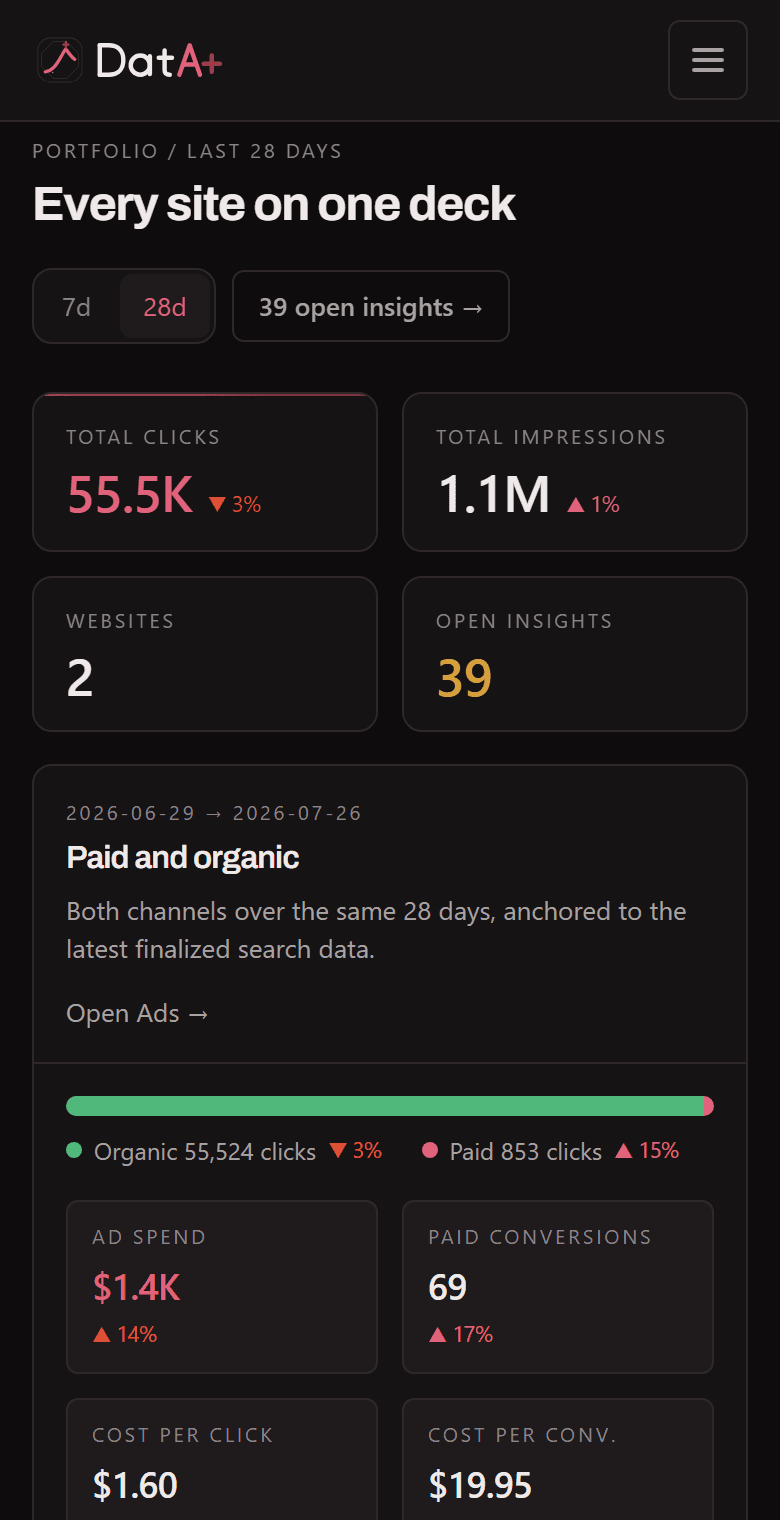
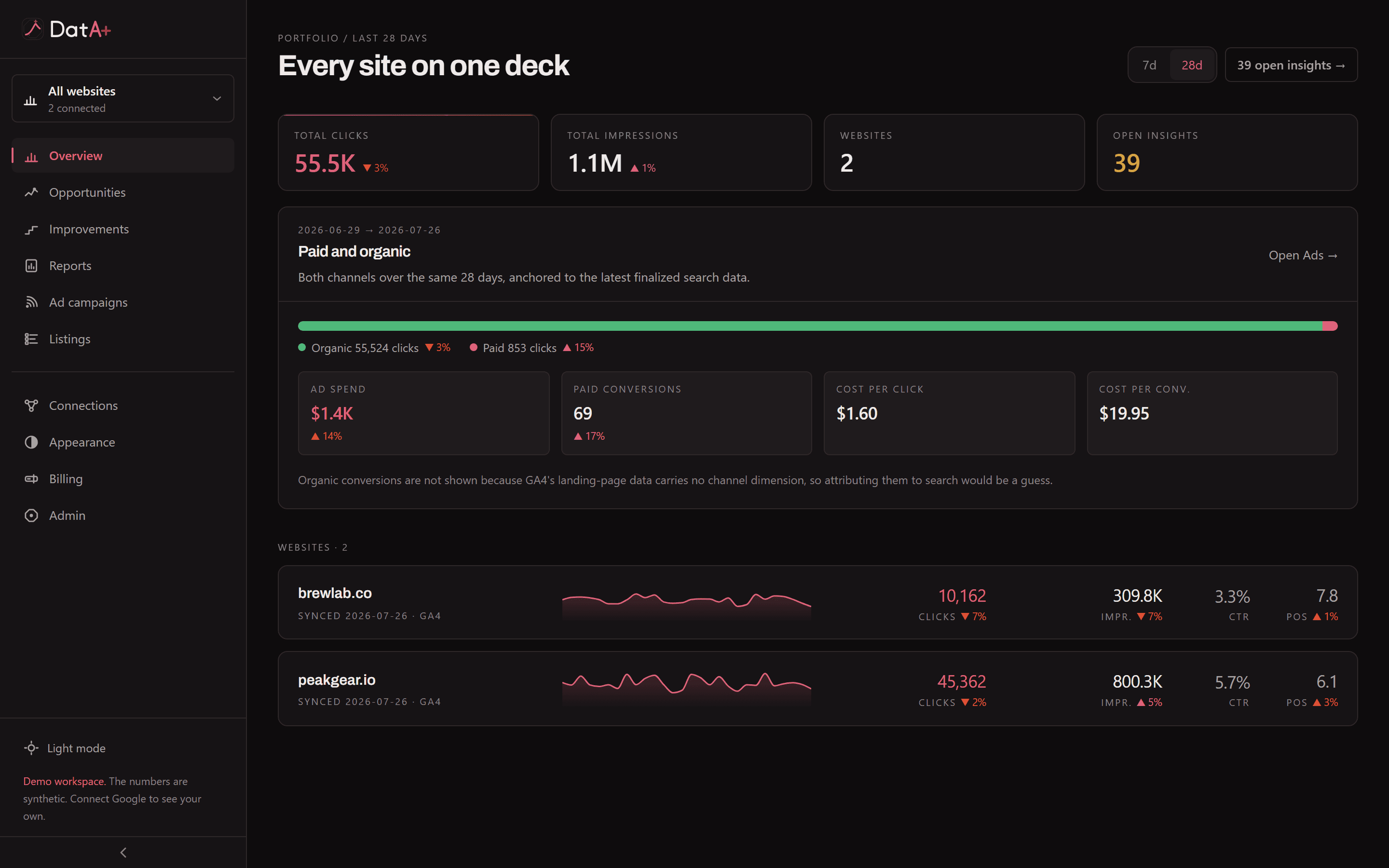
The DatA+ portfolio deck: clicks, impressions, websites and open insights across every site, with paid and organic side by side.

Every client on one screen, each number against the period before it.

Demo workspace, synthetic numbers

The loop

Diagnosis is the easy half.

Every tool in this category stops at a report. The work that moves a number is the part after it, and that is the part DatA+ does.

01Read

It joins the two sources you already have

Connect a site's Search Console and GA4 once. DatA+ pulls the history, syncs every day, and joins search to behaviour per page, so clicks and positions sit next to sessions and conversions.

02Decide

It finds what is actually worth doing

Striking-distance queries, CTR gaps, decaying pages, cannibalization, engagement leaks. Deterministic checks first, then an AI layer that is validated against your real numbers before you ever see it.

03Apply

It writes the change and publishes it

Approve a finding and DatA+ writes the title and meta description to your WordPress site. The previous value is stored alongside it, so Undo restores exactly what was there.

Reversible by design

Nothing is applied that cannot be put back.

Every change stores the value it replaced before it writes the new one. Undo is one click, and it restores exactly what was there rather than what the tool thinks was there.

That is also why approval is a step and not a setting. The default is that DatA+ proposes and you decide.
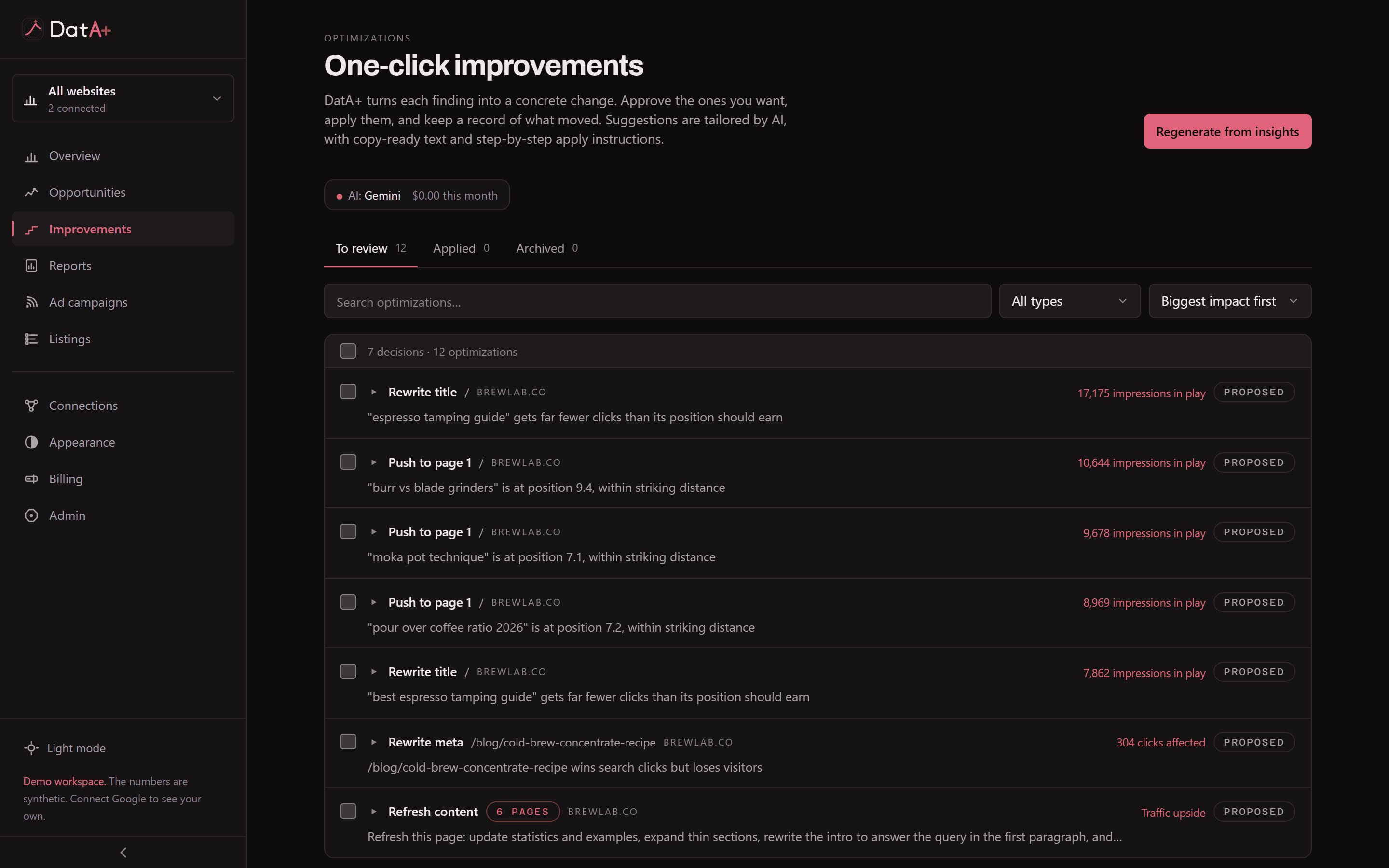
The improvements board, showing proposed changes with their status and the actions available on each.

What it reads

Four sources, joined per page.

Search tells you who arrived. Analytics tells you what they did. The page tells you why. Read separately they are three dashboards; joined they are an answer.

Search Console

Clicks, impressions, CTR and position by query and by page, backfilled and kept in sync daily.

Google Analytics 4

Sessions, engagement and conversions, joined to search data on the page so you can see what wins the click and then loses the visitor.

The page itself

A crawl that checks schema.org against Google's own requirements, readability, answer-readiness for AI results, canonical and viewport and alt text, plus real Core Web Vitals from CrUX.

Google Ads

Spend, conversions and impression share beside the organic numbers. Rolling out, and gated on Google's approval of our API access.

Plans

Per workspace, not per seat.

Access is reviewed by hand while we are in beta, so the workspace you get is already set up. Paid plans open at launch, and anyone using it before then will hear the price from me before it applies.

Free

Reviewed by hand

Access is granted one workspace at a time, so the one you get is set up rather than empty.

  • Up to 2 sites
  • 6 months of history
  • One-click apply to WordPress
  • The AI layer
Request access

Operator

Most chosen

At launch

For a freelancer or a small roster, doing the work by hand with better instruments.

  • Up to 5 sites
  • 12 months of history
  • One-click apply to WordPress
Tell me when it opens

Studio

At launch

For an agency running a roster, reporting under its own name.

  • Unlimited sites
  • 16 months of history
  • White-label reports and branding
  • The AI layer and the ads module
Tell me when it opens

Before you connect an account

The questions people actually ask.

What access does it need to my Google account?

Read-only. Search Console and Analytics are requested with read scopes, and nothing else is asked for. DatA+ cannot change anything inside Google.

Then how does it publish a change?

Through your own WordPress site, using credentials you add yourself, and only for a change you have approved on screen. Every applied change stores the value it replaced, so Undo puts it back.

Where does my data live?

In this application's own database, not in a shared analytics warehouse. Close the workspace and it is deleted, along with every site, sync and finding attached to it.

Does it write the content for me?

It writes titles and meta descriptions, which are short, factual and reversible. It does not generate articles and publish them under your name.

How much of this is live today?

The auditor, the insight feed, the Search Console and GA4 join, the daily sync, one-click apply to WordPress and the reports are all working now. The ads module is built and waiting on Google's approval of our API access. Apply to other content systems is next.

Stop reading reports. Start shipping changes.

Connect one site, see what it finds, and apply the first fix. That is the whole evaluation.

Access is invite-only while we are in beta. Requests are read by a person, not a queue, which is why they take a day or two rather than a second.

No card, and nothing is charged. We use your email only to reply about access.